For years, building a smart home felt like navigating a fractured landscape of rival walled gardens. If you bought a smart bulb designed for Apple HomeKit, it might refuse to talk to your Amazon Echo. If you switched from Android to iPhone, you risked rendering half your accessories obsolete.
Enter Matter—the industry-unifying smart home connectivity standard designed to eliminate these headaches. Backed by tech giants like Apple, Google, Amazon, and Samsung, Matter ensures that your smart devices work together seamlessly, securely, and locally. Setting up a unified smart home ecosystem is easier, faster, and more reliable than ever before. Here is your step-by-step beginner’s guide to doing it right.
Demystifying Matter: What It Is and Why It Matters
Before unboxing any hardware, it helps to understand what makes Matter different. Matter is not a brand or a smart assistant; it is a universal communication protocol built on top of Wi-Fi, Ethernet, and Thread.
For beginners, Matter solves three major pain points of older smart home systems:
- Universal Compatibility: Matter-certified devices work simultaneously with Apple Home, Google Home, Amazon Alexa, and Samsung SmartThings. You are no longer locked into a single ecosystem.
- Local Control: Unlike older cloud-dependent smart devices that lag or break when your internet goes down, Matter devices communicate locally over your home network. If your Wi-Fi drops, your local switches and lights will still function.
- Enhanced Security: Matter was built with a security-first architecture featuring strict encryption standards and device authentication, keeping your home network safe from outside vulnerabilities.
Step 1: Audit Your Foundation (Choosing Your Ecosystem Hub)
Every Matter network requires a Matter Controller (and ideally a Thread Border Router) to manage devices, handle local automation, and connect your home to your smartphone. Chances are, you already own one.
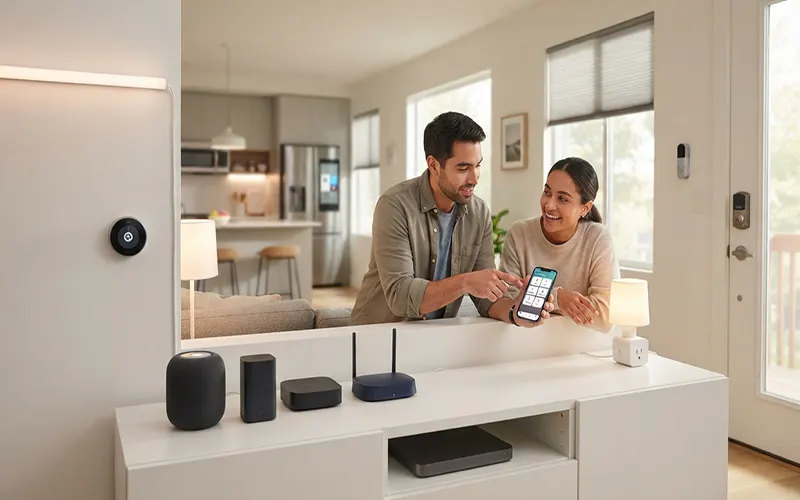
- Identify Your Hub: Modern smart speakers, streaming boxes, and smart displays often double as Matter controllers. This includes Apple HomePods and Apple TVs, Google Nest Hubs and Nest Wi-Fi Pro routers, Amazon Echo devices (fourth-generation and newer), and Samsung SmartThings Hubs.
- Understand Thread: If you want lightning-fast, ultra-low-power automation, look for controllers that also function as Thread Border Routers (such as the Apple TV 4K, newer HomePods, or Nest Hub Max). Thread creates a self-healing mesh network for battery-powered sensors, smart locks, and lights, ensuring they respond instantly without clogging your home Wi-Fi.
Step 2: Selecting Your First Batch of Matter-Certified Devices
When starting your ecosystem, begin with high-impact, everyday essentials. Smart lighting, smart plugs, and wireless door locks offer the highest return on convenience.
- Spot the Logo: Look for the Matter logo on product packaging or online listings. Major manufacturers like Philips Hue, Eve, Nanoleaf, Aqara, and Tapo now offer extensive lines of Matter-compatible hardware.
- Check for Multi-Admin Support: One of Matter’s greatest features is “Multi-Admin,” which allows a single device to be connected to multiple apps at the same time. For example, you can pair a smart plug via the Apple Home app, and then easily share it with the Google Home app on an Android phone in the same house.
Step 3: Unboxing, Pairing, and Multi-Admin Integration
Setting up a Matter device is remarkably standardized, replacing the confusing proprietary setup apps of the past.
- Power On and Scan: Plug in or power on your new Matter device. Open your preferred smart home app (Apple Home, Google Home, etc.) and tap the “+” icon to add an accessory. Use your phone camera to scan the unique Matter QR code printed on the device or its manual.
- The Numeric Code Fallback: If your camera struggles to read the code, every Matter device includes an 11-digit or 21-digit numeric setup code that you can type in manually.
- Sharing Across Apps (Multi-Admin): If other members of your household use different ecosystems (or if you want redundancy), open your primary app, navigate to the device settings, and select “Turn on Pairing Mode” or “Share Accessory.” This generates a temporary QR code that you can scan with a secondary app (like Alexa or Google Home) without having to factory-reset the device.
Step 4: Automating and Future-Proofing Your Home
Once your devices are online, the real magic of a unified ecosystem begins through smart automations. Keep your initial routines simple and practical:
- The Local Motion Trigger: Pair a Matter motion sensor with a Matter smart plug or light bulb. Because Matter supports local execution, walking past the sensor triggers the light instantaneously without waiting for a round-trip signal from a distant cloud server.
- Away Modes: Set up a routine where locking your front door automatically turns off all smart lights and adjusts your thermostat.
- Keep Firmware Updated: Periodically check your primary ecosystem app to ensure your devices receive firmware updates, which continuously optimize stability, security, and performance.
Transitioning to a unified Matter smart home ecosystem frees you from the corporate silos of the past. By choosing compatible hubs, selecting certified hardware, and leveraging local control, you create a robust, responsive, and flexible smart home tailored entirely to your lifestyle. Take your first step today, scan that QR code, and enjoy a smarter home that finally works together.